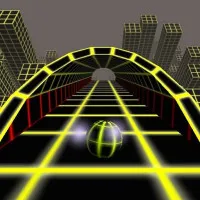
Coin Runner is a 3D endless arcade game where a rolling coin races along narrow tracks suspended in the sky. Master precise turns and keep your balance to set a new record!
Game Mechanics
Coin Runner challenges players to control a coin that moves automatically along elevated pathways. The main challenge comes from anticipating corners, since the coin continues forward until you trigger a turn at the correct moment. Accurate timing keeps it centered on the track and builds Fever, while poorly timed movements cause wobbling that can lead to a fall. Some intersections also offer different routes, allowing you to choose between safer passages and narrow paths lined with gold bars.
Obstacles
Coin Runner introduces changing track conditions that demand different reactions. Moving barriers and swinging hazards require careful timing, while slippery ice and muddy sections affect how the coin handles. Jumping also becomes important when gaps or low obstacles interrupt the route. Since the game uses automatic forward movement, reading the upcoming terrain is essential for maintaining control.
Rewards and Challenges
Beyond improving your best score, Coin Runner offers several progression goals:
- Daily Run: Try a new track each day.
- Missions: Complete objectives involving scores, collected cash, and completed runs.
- Coin Collection: Earn currency to unlock alternative coin designs.
- Leaderboard: Compare your performance with other players.
- Fever System: Build momentum through accurate turns to increase scoring opportunities.
Coin Customization
The coin collection includes different visual styles, beginning with the standard Gold coin. Additional designs such as Silver, Rupee, Ancient Drachma, Fire, Ice, Energy, and Circuit can be unlocked using earned currency. These options give players another reason to continue completing runs and collecting rewards as they work toward higher scores.
Master The Controls
- Turn: Click, tap, or press Space or the Left/Right Arrow Keys as the coin reaches a corner.
- Jump: Double-click, double-tap, or press W or Up Arrow to clear gaps and low obstacles.
- Slow Down: Hold the mouse button, touchscreen, or Space to brake.
- Burst: Release the brake for a short speed boost.
- Choose Routes: Use the left or right side of the screen, or the corresponding arrow key, at split paths.
Discover More Arcade Challenges