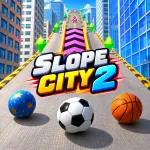
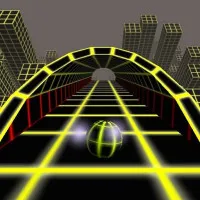
Slope City 2 takes ball-running action high above a colorful urban landscape, where narrow tracks leave little room for mistakes. Steer through dangerous turns, cross gaps using launch ramps, and gather gems to improve future runs in this fast-paced 3D arcade game.
Rolling Through the City
In Slope City 2, the ball rolls forward along elevated pathways suspended above the city. Players control its horizontal movement to stay on the track while navigating slanted surfaces, sudden gaps, and sharp changes in direction. Some gaps require special launch sections that propel the ball across open spaces. Reaching these sections at the correct angle is essential, particularly when the track becomes narrow or uneven.
Common Track Challenges
- Narrow paths: Make small steering adjustments to stay centered.
- Large gaps: Follow the launch sections to cross safely.
- Slanted surfaces: Correct the ball's position before reaching the edge.
- Sharp turns: Begin steering early to maintain a stable trajectory.
Shop Upgrades
Slope City 2 rewards successful runs with collectible gems that can be spent on different ball designs and useful upgrades. These purchases add progression to the challenge, giving collected gems a purpose beyond the current run.
Power-Ups
- Shield: Improves protection and helps the ball survive dangerous situations.
- Magnet: Attracts nearby gems, making collection easier.
- x2 Gems: Increases gem earnings, helping players save for future purchases.
- Ball Skins: Unlocks alternative appearances through the shop.
Which Upgrade to Buy First?
The magnet is particularly useful for collecting gems along risky sections because it reduces the need to steer directly toward every collectible. Players focused on survival may prefer improving the shield first, while the gem multiplier supports faster long-term progression. Choosing upgrades based on the biggest obstacle in previous attempts can make each new run more productive.
Controls
- A / Left Arrow: Steer left.
- D / Right Arrow: Steer right.
- Mobile: Swipe left or right to steer, where supported.
Explore Other Arcade Games